


Tracover: Chat Track & Recover
3.038.00 Reviews
App Specs
- Version
- 1.2.15.302
- Updated On
- License
- Free
- Downloads
- 1,000,000+
- Developer
- Shenzhen Wondershare Software Co., Ltd.
- Categories
- Tools
- Platform
- Android
Screenshots
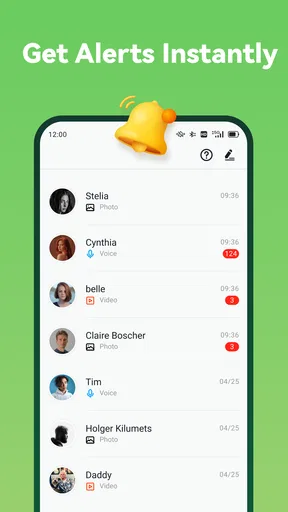
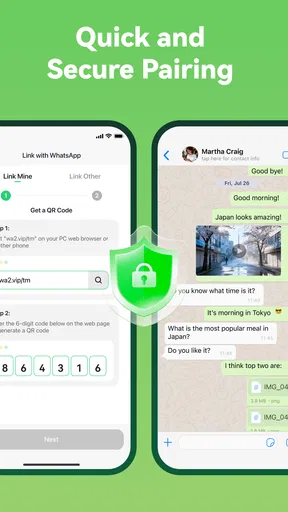
 Analysis by AppCompare
Ever been in that situation where you're waiting for a friend, and they claim to be "just around the corner," but you know they're still at home? Or maybe you've lost your phone and are desperately trying to retrace your steps? Well, that's where Tracover: Chat Track & Recover comes in handy. This nifty app is designed to help you keep tabs on your friends, family, and, yes, even your wayward phone. Let’s dive into what makes it tick and whether it’s worth a spot on your home screen.
Who benefits from a status tracker?
Tracover sits in the tools category, but its appeal is quite specific: it is aimed at people who want to follow chat activity and online status rather than simply organize files or adjust phone settings. Shenzhen Wondershare Software Co., Ltd. is the developer. The app is free to install, has more than a million installs, and carries an Everyone age rating. Those details make it easy to try, but they do not answer the more personal question of whether this kind of monitoring fits your relationships.
I can see it being useful when two people have openly agreed to keep an eye on online activity—for example, to coordinate when to start a call or check whether a family member is using a messaging service. It is less suited to anyone hoping to solve a disagreement by quietly watching another person. A status indicator is not a reliable explanation of someone’s intentions, and treating it like one can create more tension than clarity. I would use it only with the other person’s knowledge and a shared reason.
Read the signal, not a story into it
Online and last-seen information can be helpful as a prompt for coordination, but it has limits. A person may open an app briefly, leave it running, or be unable to reply even when their status appears active. I would not use a tracker to decide whether someone is ignoring me, to supervise an employee, or to keep tabs on a partner without consent. The practical value is narrower: it can offer context around availability, not prove what somebody is doing or why.
That distinction also matters when using a phone-recovery tool. A last known location can give you a useful place to begin looking, but it is not a live guarantee that the phone is still there. If I misplaced my device, I would first retrace the last places I remember visiting, then treat any location clue as one part of the search rather than a substitute for it. For a phone that is lost or stolen, the platform’s built-in device-finding service is usually the more direct place to start.
What is Tracover All About?
Tracover is essentially a hybrid app that combines location tracking with chat functionalities. Imagine a world where you can see where your friends are in real time and chat with them without hopping between different apps. Sounds cool, right? It’s like having a personal detective and a messenger rolled into one. But don’t worry, it doesn’t feel invasive thanks to its robust privacy settings, which I'll get into a bit later.
Setting Up Your Tracover Experience
Getting started with Tracover is a breeze. Once downloaded, you’ll need to set up your profile, which is pretty straightforward. You’ll be prompted to grant location permissions, and yes, this is crucial for the app to do its magic. The interface is sleek and intuitive, making navigation as easy as pie. You can customize your settings to decide who sees your location and when. So, you won’t have to worry about your nosy aunt tracking your every move!
Worth Reading Before You Choose

EA SPORTS FC Mobile 26 Is a Bigger Football Game, but It Takes Time

Flipboard Shows What News Apps Must Do Beyond the Feed

Switching to Android Auto Means Rethinking Your Driving Routine

Google Calendar Makes a Crowded Week Easier to Manage

Ludo King Makes the Most of the Minutes Between Plans

Baby Panda World Brings Quick Play to Modern Phones, but Its Game Library Feels Busy
Permission choices deserve a pause
Because Tracover’s described purpose touches on activity and location, I would slow down at the permission prompts instead of approving everything automatically. On Android, check what access the app requests and whether the choice matches the feature you actually plan to use. If a permission seems unrelated to your intended use, pause and review the explanation before continuing. Permissions are practical controls, not a formality; they shape what an app can do on your device.
I would also make the first setup a conversation, not a surprise. If another person’s status or location is involved, explain what you want to see, why it would help, and when you will stop sharing. Agreeing on a narrow purpose—such as coordinating a particular outing—is more considerate than leaving tracking enabled indefinitely. If either person changes their mind, revisit the arrangement rather than treating earlier consent as permanent.
Tracking and Chatting: A Seamless Blend
The app shines with its primary feature: real-time location sharing. Whether you're coordinating a meet-up or just curious about where your buddies are, this feature is a game-changer. What’s even cooler is the integrated chat system. You can send messages to your friends directly through the app, which is a huge time-saver. It’s like having your cake and eating it too.
A useful routine for meet-ups
For an ordinary plan, I would use the location view as a short-term coordination aid: agree on a meeting point, check whether everyone is nearby, and then switch attention back to the day. That is more useful than repeatedly checking a status screen while waiting. If the group already shares locations through its usual map or messaging app, there may be little reason to move everyone into another service just for one gathering. Tracover makes more sense when its activity-tracking angle is something the people involved actually want.
The main trade-off is that a combined tracker and chat tool can make coordination feel convenient while adding another place to check. Friends may not want another account, another notification stream, or another app in a routine they already handle well. I would ask the group before inviting people and keep the arrangement small. A tool that only works when everyone feels comfortable using it is not improved by pressuring reluctant participants.
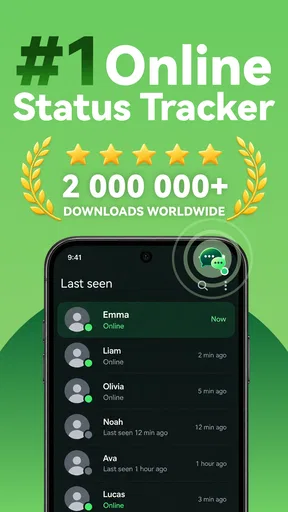
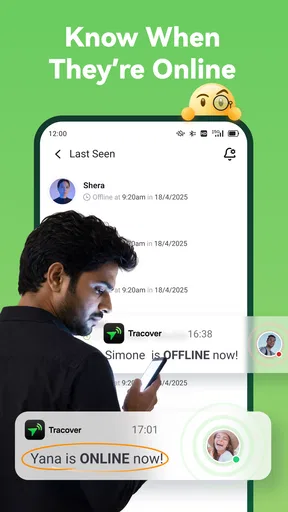
Tracover’s store summary describes chat activity, online status, and last-seen tracking. That focus is different from a conventional messenger, where the central job is sending messages, or a map app, where the central job is navigation and location sharing. If all I need is a conversation, I would stay with the messenger my contacts already use. If the priority is finding a lost phone, I would begin with the built-in recovery option for the device. Tracover is most relevant when its particular activity-monitoring purpose is the reason everyone has agreed to try it.
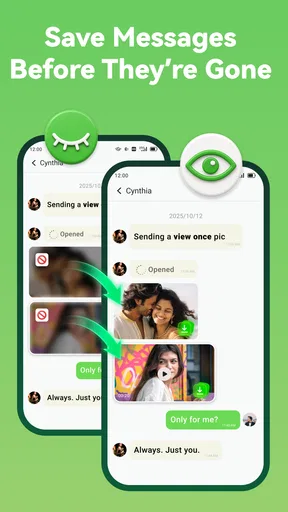
And if you’re someone who’s always misplacing your phone (aren’t we all?), Tracover has a nifty "recover" feature. It helps you trace your phone’s last known location. It’s not foolproof but definitely better than nothing when you're in a pinch.
What a recovery clue can—and cannot—do
One practical tip is to think ahead, before the phone goes missing. Make sure you understand where the recovery feature is accessed and what information it relies on while you still have the device in hand. In a stressful moment, learning a new interface is the last thing I want. I would also keep a familiar backup plan: use another device to contact the places I visited, and follow the relevant built-in device-finding steps if the phone cannot be located.
A last-known position is only useful if it is interpreted carefully. The phone may have moved since that point, and a location clue does not tell you whether the device is safe to retrieve yourself. If the indicated place is unfamiliar or there is a risk in going there, I would not treat an app display as a reason to approach. The sensible role of this feature is to narrow the search, not to replace judgment or more appropriate help.
Privacy: Your Data, Your Rules
Now, I know what some of you are thinking: What about privacy? Fair point. The developers behind Tracover have made sure to implement strong privacy controls. You have full control over who can see your location and when. Plus, all location data is encrypted, so you can breathe easy knowing your whereabouts aren’t being broadcast to the entire universe.
Check the choices that matter to you
I would treat privacy as an ongoing decision, not a box to tick during installation. Look over the sharing controls when you first set up the app, then revisit them if your relationships or plans change. Before sharing, decide who needs access and for what period; afterwards, check that the arrangement still matches what you agreed. The key is to use the controls deliberately rather than assume a setting will suit every situation.
It is also worth separating two questions: what can be controlled on the phone, and what happens to information beyond it. I would not make promises about data handling based on a general privacy impression. For anything involving sensitive location or activity details, read the app’s current privacy information and the permission explanations, and make a choice you are comfortable with. If those details do not give you enough confidence, skipping the app is a reasonable decision.
There is a real difference between voluntary sharing among friends and monitoring someone who has little power to say no. I would not use Tracover to secretly track a child, partner, colleague, or anyone else. For a family safety need, choose a tool whose controls and expectations are clear to everyone involved, and explain what is being shared. Trust is easier to preserve when the purpose, audience, and limits are explicit.
Costs, compatibility, and expectations
Although the app is free to download, it offers in-app purchases priced from $4.99 to $59.99 per item. I would try the free experience first and avoid paying until I knew exactly which capability I needed and whether the people I would coordinate with were willing to use it. A purchase is poor value if the main obstacle is that your friends prefer their existing messenger or do not want activity tracking.
The current version is 1.2.3.244, and the app supports Android 7.0 and later. It was released on April 30, 2019. Its average rating is 3.0 from around 1,300 ratings, with 25 written reviews. I read that as a reason to set measured expectations rather than assume the experience will suit every phone or routine. Ratings cannot tell me whether my own group will find the app useful, so a low-commitment trial is more informative than paying up front.
For a reader asking whether Tracover works without location access, I would separate its different purposes: location-related functions depend on location access, while the app’s activity-tracking focus is a distinct reason to consider it. I would grant only the access needed for the use I have chosen and check how the app behaves with that choice. If a core feature is unavailable without a permission I am not comfortable granting, I would simply not use that feature.
Another sensible question is whether this is a replacement for a standard chat app. I would not treat it as one by default. Its appeal is the tracking context alongside communication, not a reason to move every conversation away from the service a group already uses. Likewise, someone who needs dependable device recovery should make the operating system’s own finding tools their first option and regard Tracover’s clue as secondary.
Performance and User Experience
Performance-wise, Tracover is pretty solid. The app runs smoothly without hogging your phone’s resources. Battery consumption is reasonable, which is always a plus for an app that uses location services. The user interface is intuitive, with a clean design that doesn’t overwhelm you with options. It's clear that the developers prioritized user-friendliness, which I really appreciate.
Who should give it a pass?
I would skip Tracover if the people I want to follow have not agreed to it, if I mainly need turn-by-turn directions, or if I only want a reliable way to locate my own missing phone. It is also not a good match for someone who finds online indicators stressful or is likely to read every delay as a personal message. In those cases, ordinary messaging, a map shared by consent, or the phone’s built-in recovery service is a better fit.
For someone who does try it, a small test is the fairest way to judge the practical value: choose one agreed use, check that everyone understands the sharing, and see whether it genuinely reduces coordination friction. If it leads to more checking, more misunderstandings, or unwanted notifications, that is useful evidence that the app is not helping your group. I would rather remove a tool that adds anxiety than keep it because its feature list sounds convenient.
Final Thoughts
In a world where we’re increasingly reliant on technology to keep us connected, Tracover: Chat Track & Recover is a breath of fresh air. It takes the hassle out of coordinating with friends and family while offering a handy solution for those pesky "I lost my phone again" moments. Whether you're planning a get-together or simply want peace of mind, this app has got you covered.
So, if you’re someone who loves staying connected and organized without compromising your privacy, give Tracover a whirl. With its user-friendly interface and reliable performance, it might just become your new favorite app.
My cautious verdict
I would recommend Tracover only to people who have a clear, mutually agreed reason to check chat activity or location and who are comfortable reviewing the relevant permissions and sharing choices. Its free download makes a modest trial possible, but the paid items and the app’s specific focus mean it is not an automatic choice for everyone. I would not install it as a way to test someone’s honesty or replace a dedicated phone-finding service.
In short, use it for a narrow coordination need, be candid with the people involved, and keep a simpler alternative ready. If the app makes plans easier without turning status checks into a habit, it may earn a place on your phone. If trust, consent, or clarity is missing, I would leave it off.
Pros
- Easy-to-use interface for quick navigation.
- Seamless syncing with cloud storage.
- Real-time location tracking features included.
- Customizable alerts and notifications.
- Compatible with multiple devices.
Cons
- Limited free version with basic features.
- Occasional GPS accuracy issues reported.
- Consumes battery life quickly on some devices.
- User interface can be overwhelming for beginners.
- Requires constant internet connection.
FAQs for Tracover: Chat Track & Recover
What is Tracover: Chat Track & Recover?
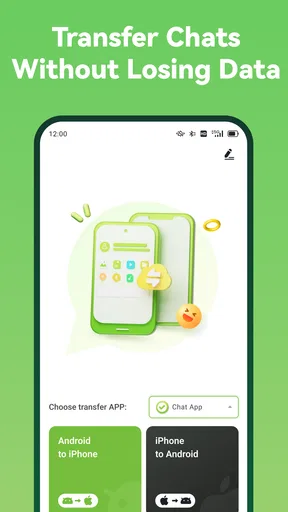
Tracover: Chat Track & Recover is a versatile application designed to help users recover lost conversations, track important chats, and ensure data security on their devices. It offers advanced features for backing up and restoring chat histories across various messaging platforms, making it a valuable tool for both personal and professional use.
How does Tracover ensure data privacy?
Tracover prioritizes user privacy by implementing robust encryption protocols and secure data storage solutions. The app ensures that your chat histories and personal information are protected from unauthorized access and potential breaches. Users can rest assured that their data remains confidential and secure while using the app.
Is Tracover compatible with all messaging apps?
Tracover supports a wide range of popular messaging applications, including WhatsApp, Facebook Messenger, and Telegram. However, compatibility may vary depending on the specific version of the messaging app and your device. It is recommended to check the app's compatibility list on the official website or app store before downloading.
What are the main features of Tracover?
Tracover offers several key features, including real-time chat tracking, comprehensive data recovery options, and customizable backup schedules. Users can also enjoy seamless synchronization across devices, ensuring that their chat data is always up-to-date and accessible whenever needed. These features make Tracover a comprehensive solution for chat management.
Are there any costs associated with using Tracover?
Tracover offers a free version with basic features, allowing users to explore its capabilities without financial commitment. For those seeking advanced functionalities, a premium version is available through a subscription model. This version includes additional features such as extended storage, priority support, and more frequent update cycles.


